Private Mac access · LAN or Tailscale

Control your Mac.
Keep it private.

Vamp Suite connects your iPhone, iPad, Safari, and Mac to the machines you own—over your LAN or Tailscale, with visible pairing and no hosted relay.

Visible pairing Private transport No hosted relay
Workspace
Three shells. One tap.Background output stays where you left it.
4native apps in one suite
1Linux browser companion
8independent terminal tabs
2-wayclipboard sync with the host
Start in three moves

Pair once. Pick up anywhere.

Install one host on the Mac, approve your device, then return to the same sessions from iPhone, iPad, or private Safari.

Install one host

Choose Vamp Host for remote control, or Vamp Terminal Host for terminal and Safari access only.

Mac → Install a host

Approve the device

Enter the six-digit code shown by the host and approve the signed pairing request on the Mac.

Mac → Approve pairing

Open a session

Launch the iOS app or private Safari address, then attach to a persistent tab without restarting your work.

iPhone / Safari → Open a tab
One suite, every surface

Everything stays in its place.

Vamp Suite keeps remote desktop, terminal tabs, Safari control, and Linux access in one understandable product family, with private LAN or Tailscale transport.

Live tabs, real shells

Each tab owns an independent PTY. Switching visibility never closes and reopens the process underneath.

Made for thumbs

Readable SwiftTerm output, scrollback, resize handling, paste, arrows, Ctrl, Esc, Tab, and a quick-key row.

Handoff, don’t restart

Attach tmux or screen from the app, or launch ten supported CLI agents in their own tabs: OpenCode, Pi, CommandCode, ChatGPT, Claude, Kimi, Qwen, Codex, Aider, and Grok.

No iOS app nearby?

Use Safari as your terminal workspace.

Vamp Host includes a terminal-only browser surface styled like a task chat. It stays private to Mac loopback and Tailscale, so the Mac never opens a public HTTP listener.

  • Pair with the six-digit code shown in Vamp Host.
  • Open up to eight concurrent browser CLI tabs.
  • Review commands with explicit Allow / Always allow / Deny cards.
  • Send and receive clipboard text from Safari.
http://100.x.y.z:9475/?pair=••••••
private tailnet · task chat
Task chat● connected
workagentlogs+
Connected to Vamp Host. Terminal Mode is on.
$Three CLI sessions are running. Background output is marked on the tab.
Permission requiredAwaiting approval

Review command before it reaches the Mac

$ git pull --ff-only
No output yet.
AllowAlways allow hereDeny
tmux attach -t work
Choose the right surface

One suite. Four apps and a Linux companion.

The GitHub repository is still named macpair; the current product family is Vamp Suite. Use the full Vamp Host for remote control, the light host for terminal/Safari only, or choose the client that matches the device in your hand.

macOS · full host

Vamp Host

Remote display, input, and Terminal Mode in one host. Terminal Mode is explicit and supports up to eight tabs for the Vamp Terminal client.

Download latest full host ↗
macOS · light host

Vamp Terminal Host

A focused companion with terminal sessions, Safari control, pairing, Tailscale discovery, and no screen-capture or remote-input surface.

Download latest light host ↗
Linux · browser host

Vamp Terminal Linux Host

Dependency-free Python host with eight PTYs per browser connection. Keep it on loopback and expose it with Tailscale Serve for Safari access.

Run on Linux ↗
Vamp CLI

Prepare a session before you pick up the phone.

The CLI is friendly to scripts and coding agents. Start a persistent tmux session on the host, then attach from a tab without restarting the process.

vamp ensureStart Vamp Host and wait until it is ready.
vamp status --jsonRead machine-friendly host state.
vamp terminal listList tmux and screen sessions.
vamp terminal start --session workCreate or resume a persistent shell.
vamp terminal attach workAttach the named session from a tab.
vamp terminal agent opencode --session opencodeLaunch OpenCode in a persistent tmux tab.
vamp terminal agent pi --session piLaunch Pi in a persistent tmux tab.
vamp terminal agent commandcode --session commandcodeLaunch CommandCode in a persistent tmux tab.
vamp terminal agent chatgpt --session chatgptLaunch ChatGPT CLI in a persistent tmux tab.
vamp terminal agent claude --session claudeLaunch Claude Code in a persistent tmux tab.
vamp terminal agent kimi --session kimiLaunch Kimi in a persistent tmux tab.
vamp terminal agent qwen --session qwenLaunch Qwen Code in a persistent tmux tab.
vamp terminal agent codex --session codexLaunch Codex CLI in a persistent tmux tab.
vamp terminal agent aider --session aiderLaunch Aider in a persistent tmux tab.
vamp terminal agent grok --session grokLaunch Grok CLI in a persistent tmux tab.
vamp browser serveExpose the loopback Safari workspace through Tailscale.
vamp-terminal-host statusCheck the terminal-only macOS host.
Agent compatibility

Keep the process alive while you move.

Vamp does not own your agent account or prompt. It gives each supported CLI a stable named PTY inside tmux so the client can reconnect to the same work.

OpenCode
π Pi
CommandCode
ChatGPT CLI
Claude Code
K Kimi
Q Qwen Code
Codex CLI
A Aider
G Grok CLI
vamp terminal agent claude --session claude
Designed for the small screen

Quiet surfaces. Clear output.

The app uses a neutral transparent-glass system that adapts to light, dark, Dynamic Type, reduced motion, and iPad layouts.

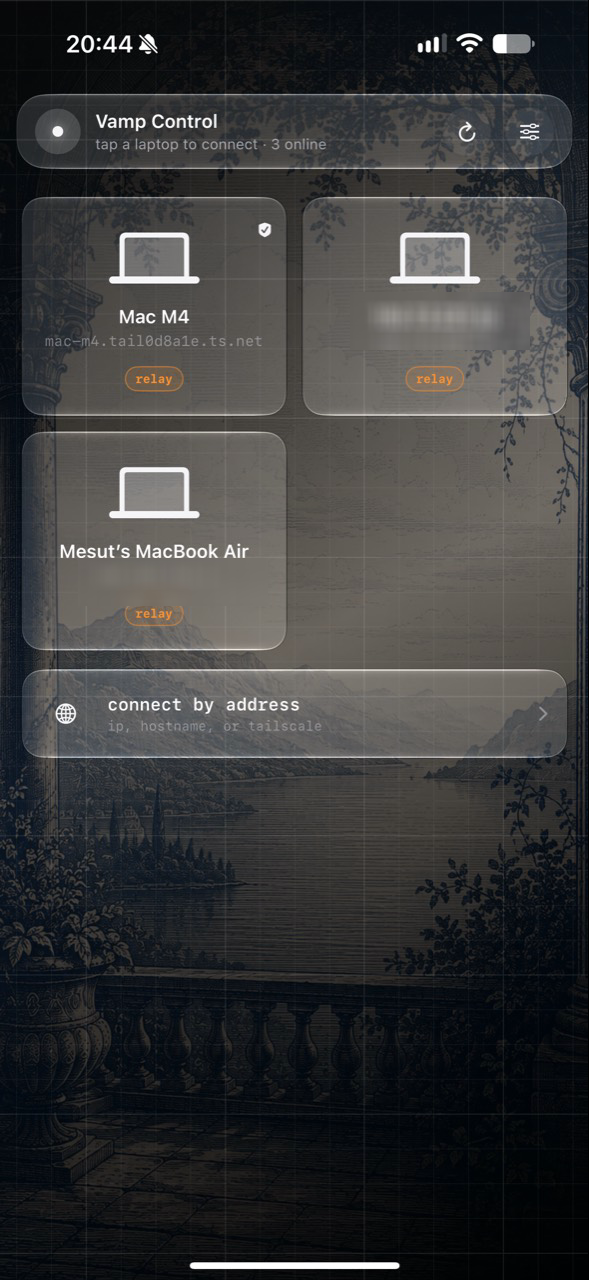
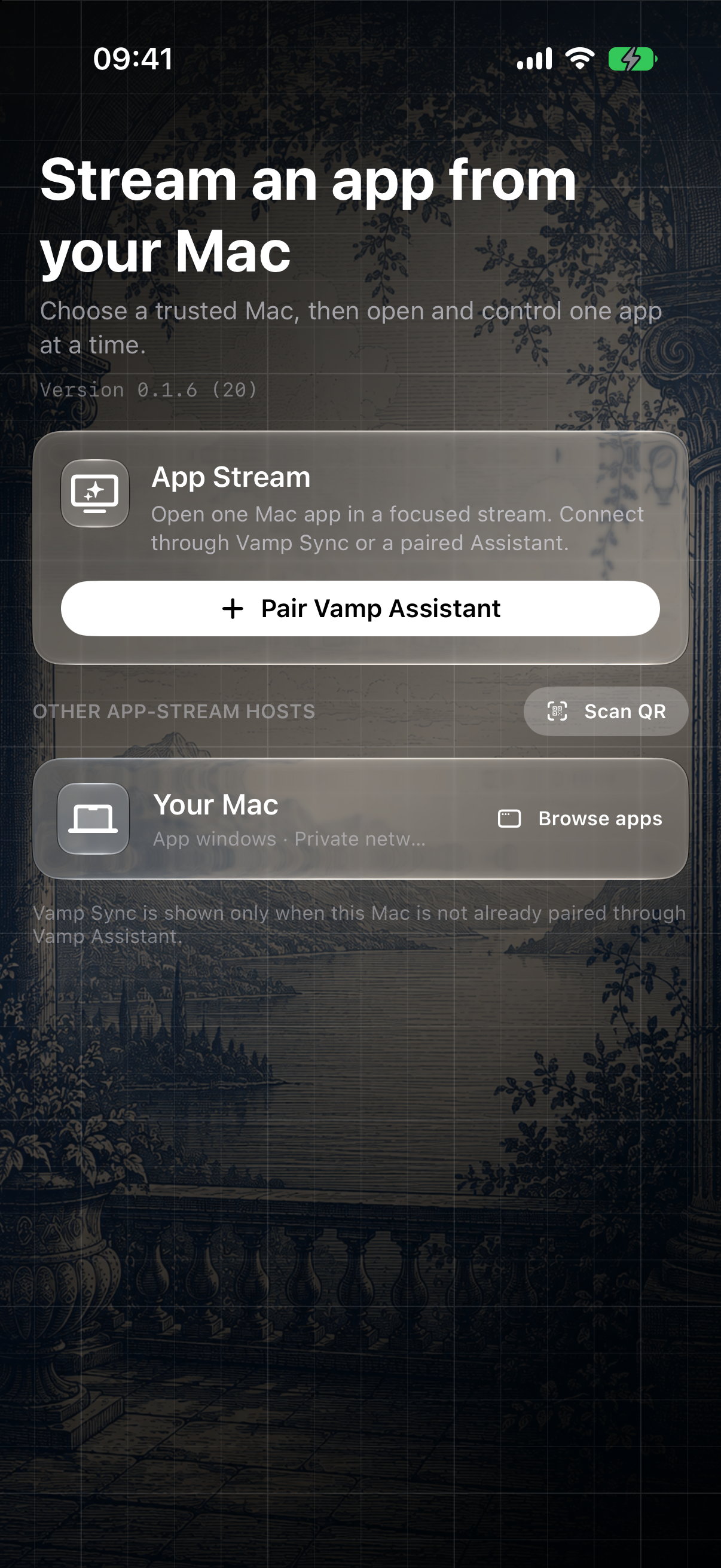
Vamp Terminal home screen with transparent glass host cards and setup guide
Host discovery, Tailscale addresses, the visual guide, and a dismissible Vamp Host card.
Choose a closer look

Switch without losing the shell.

Tabs remain mounted in a stable workspace. A dot shows connection state; a quiet indicator tells you when a background tab has new output.

work · connected3 tabs
~/Projects/vamp-terminal
$ git status
On branch main · working tree clean

$ tmux attach -t work
[work] session restored
$ _

Learn the safe path in the app.

The built-in guide explains pairing, tabs, clipboard, keyboard controls, tmux handoff, and agent launchers with visuals instead of a wall of setup text.

Vamp Terminal visual guide showing pairing and tab instructions

Task chat for Safari.

When the phone app is not installed, open the private Tailscale URL and work from the same tabbed terminal model with approval cards and clipboard controls.

Safari · private tailnet8 max
Permission required
$ tmux attach -t work

Allow   Always allow here   Deny
A live stream, card by card

See the command before it finishes.

Commands cross an explicit approval boundary, then stream output into the same tab. This local demo shows the browser and mobile interaction without touching a host.

Task chat · workAwaiting approval
Permission requiredAwaiting approval

Review command before it reaches Vamp Host

$ git pull --ff-only
No output yet.
Type a command to review…

Interactive preview only — no command is sent to your Mac.

Vamp Terminal stream view showing permission, running, and completed command cards
Fresh stream-view preview: approval, streamed output, and completion remain visible in one conversation.
Download & install · current line

Bring the Vamp Suite to the devices you own.

Loading the current public release and download assets…

iOS & macOS · remote controlCurrent iOSCurrent macOS

Vamp Remote Control Client

Direct downloads for the current remote display and input clients that connect to Vamp Host.

  1. iOS: import the unsigned IPA with AltStore or another compatible sideloader.
  2. macOS: unzip the unsigned client and move it to Applications.
  3. Pair with Vamp Host after approval.
macOS hostCurrent hostCurrent terminal host

Choose your host

Install one host on the Mac. Both expose the same signed pairing and terminal protocol.

Vamp HostRemote desktop, remote clients, and optional Terminal Mode.
Vamp Terminal HostTerminal, Safari control, Tailscale, and pairing only.
Build from source

The active Vamp project.

These are the current commands. They use RemoteDesktopToolApps.xcodeproj and produce the current Vamp Suite artifacts.

Output: dist/VampTerminal/ and dist/VampTerminalHosts/.

scripts/package-vamp-terminal-ios.sh --clean
scripts/package-vamp-hosts.sh --clean
Version map

One current release line.

Loading release metadata…

Linuxbrowser host

Vamp Terminal Linux Host

Run the dependency-light Python host on loopback, then optionally publish it through Tailscale Serve.

scripts/vamp-linux-host \
  --listen 127.0.0.1 --port 9475
After installLAN or Tailscale

Pair once, then open tabs.

Open the host dashboard, approve the signed request, and use the displayed Tailscale address from Safari or the iOS app. On iPhone, 127.0.0.1 points to the phone—not the Mac.

Sessions that survive your attention span

Start it here. Continue it anywhere.

Shells are intentionally fresh per connection. For long-running work, use tmux or screen and reattach from a new mobile or Safari tab when you come back.

tmux new-session -A -s work
OpenCode
π Pi
CommandCode
ChatGPT CLI
Claude Code
K Kimi
Q Qwen Code
Codex CLI
A Aider
G Grok CLI
Private by default

Less infrastructure. More control.

  • Terminal Mode is opt-in on the Mac and disabling it closes every active PTY.
  • Pairing is signed and requires visible host approval for a new device.
  • Remote Safari control accepts loopback for Tailscale Serve and direct private Tailscale traffic, never ordinary LAN/public traffic.
  • Session IDs and terminal IDs route every tab independently.
  • No account backend, public port forwarding, or hosted relay is required.
Everything you need next

Bring your own workflow.

Vamp Suite is the product family. The macpair repository stays open for inspection, automation, and contribution.

Source & issues

Read the code, report a bug, or propose a better terminal workflow.

Open repository

Safari control

Pair the browser workspace and expose it through Tailscale Serve.

Follow the steps

Agent integration

Use the host CLI safely with tmux-backed agents and approval boundaries.

Read agent docs